

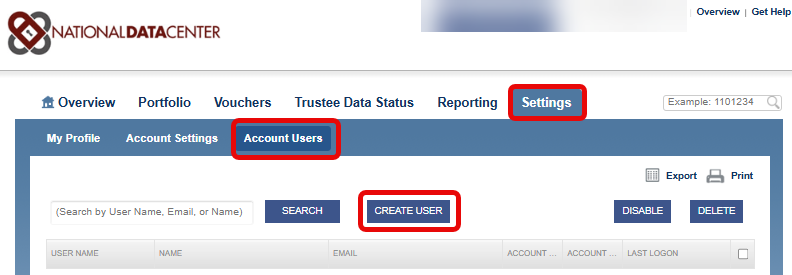
When logged into your Debtor Attorney NDC account, click on the Settings Tab / Account User / Create User
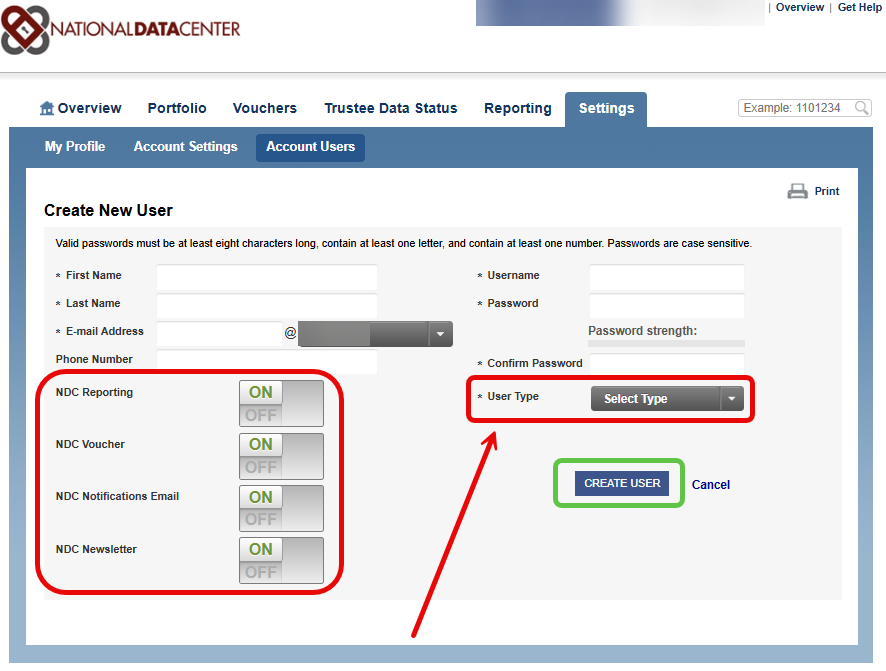
Next, complete the required fields paying close attention to the User's access to Reporting & Voucher.
Reporting access grants the user access to the multiple reports offered for the Debtor Attorney at the NDC.org.
Voucher access grants the user access to the vouchers for monthly disbursements from the Trustee office(s).
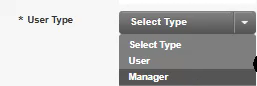
You will also want to be mindful of the User's access to create additional User Accounts.
A Manager has the ability to access the ACCOUNT USERS tab whereas a USER will not have that as an option.
A Manager can Create/Delete/Disable users as well as reset passwords