

Please follow the instructions below to create additional accounts for your staff.
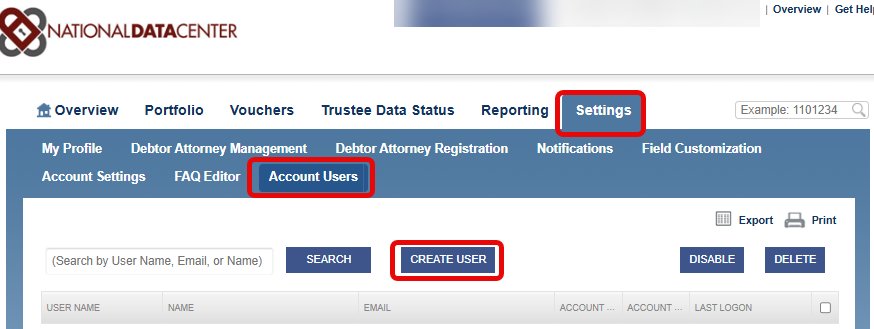
Once you've clicked on CREATE USER, this is the screen you will see. Please fill in the required information and see additional notes below.
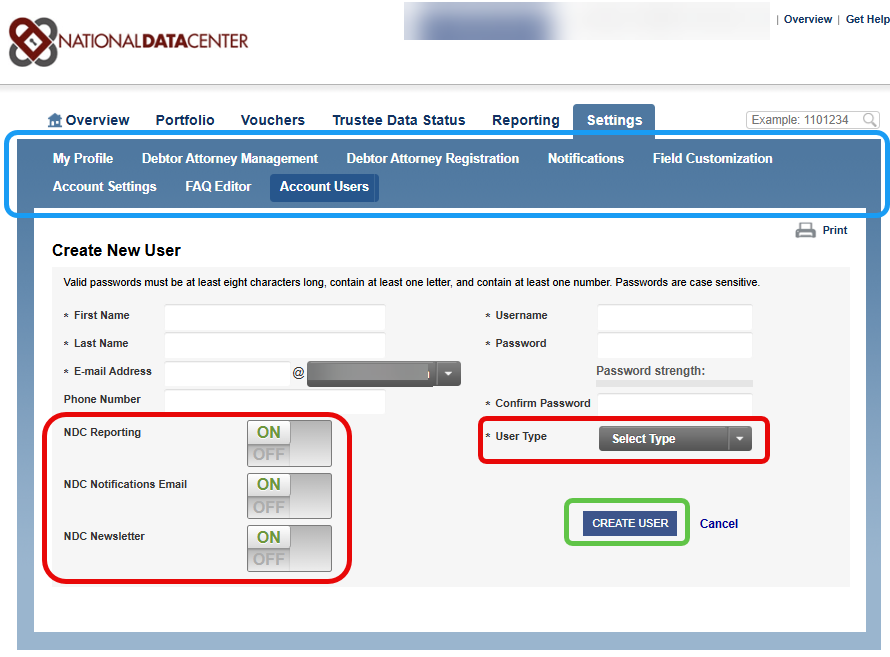
Please be mindful of the User Type. We offer a USER and a MANAGER.
A MANAGER has access to the blue ribbon pictured above including access to Account Users. They can create/disable/delete users and/or reset passwords.
A USER can view your Chapter 13 case data and impersonate debtors; they will just have very limited access to items in the blue ribbon.
You will also want to be mindful of the NDC Reporting that is circled above. This offers the employee access to various reports that is offered to the Trustee from the NDC based on data collected from all of the offices that send us their data. This can be limited by simply clicking OFF.